Local Weather Alerts - Widget
Vitality App StudiosWeather
4.817.92K Reviews
- Version
- 1.7.4
- Installs
- 10.00M
- Age Rating
- Everyone
Screenshots
Our Review of Local Weather Alerts - Widget
 Analysis by Appyee
Ever found yourself caught in a sudden downpour without an umbrella or regretting not bringing that extra jacket on a chilly day? We've all been there. That's where Local Weather Alerts - Widget swoops in to save the day. This app is your personal weather guru, providing timely and accurate alerts right on your device. Let’s dive into how this app can become your best weather buddy.
A quick picture of the current app
For anyone choosing a weather app, the main question is whether it helps with decisions quickly or simply gives you another screen full of numbers. This one is built around local conditions and a glanceable home-screen widget, so its appeal is practical: check what is happening nearby, then decide what to wear or whether to change plans. It is a free weather app from Vitality App Studios, rated for Everyone, and its broad audience is reflected in its 10 million-plus installs and 4.8 average rating from around 333,000 ratings.
That reach does not make it the right fit for every person. I would consider it most useful if I regularly check the forecast before leaving home and want a compact view rather than a full weather dashboard. Someone who needs specialist meteorological maps or detailed storm tracking should compare it with a service designed around those tools instead of assuming that a widget-first app will cover every advanced need.
Why Local Weather Alerts - Widget Is a Game-Changer
Imagine having a trusty sidekick that keeps you updated about the weather without having to open multiple apps or websites. Local Weather Alerts - Widget does just that, and it does it with style. The app integrates seamlessly onto your home screen, providing real-time updates and forecasts.
The first thing you’ll notice about this app is its straightforward setup. After a quick download, you’re guided through a simple configuration process. You allow access to your location, choose which types of weather alerts you'd like to receive, and voilà! You're all set up. This app is designed to be user-friendly, ensuring that even the least tech-savvy among us can navigate it with ease.
Features That Stand Out
One of the coolest features is the customizable widget. You can tailor its appearance to match your phone's theme, making it both functional and aesthetically pleasing. It’s like having a little weather station right on your phone.
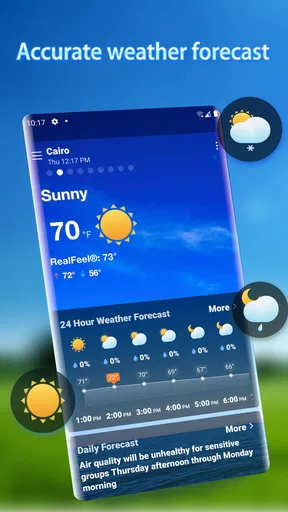
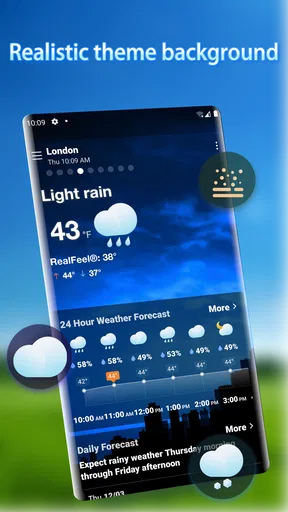
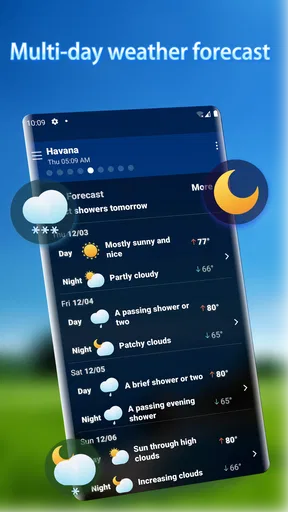
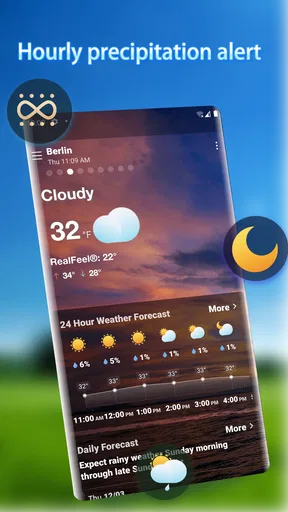
Besides the widget, the app offers detailed hourly and daily forecasts. You can plan your weekend getaway or decide whether to carry an umbrella based on detailed weather predictions. The app’s accuracy is truly impressive, backed by reliable weather data sources.
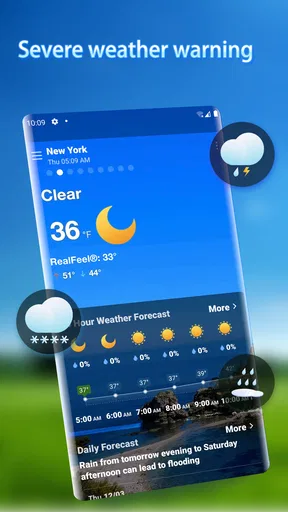
Another noteworthy feature is the severe weather alerts. Whether it’s a thunderstorm, snowstorm, or heavy rain, you’ll receive timely notifications so you can take necessary precautions. It’s like having a personal meteorologist in your pocket.
Making forecasts useful in real life
The home-screen format is especially handy when the same decision comes up every day: whether to walk, cycle, drive, or take public transport. I would check the hourly view before leaving, then use the widget for a quick glance later rather than repeatedly reopening the full app. That simple routine makes the forecast more actionable; a rain symbol matters most when I know whether the rain is expected during my commute or after I get home.
For a family outing, I’d use the daily forecast to spot a likely change in conditions, then check again closer to departure before packing. This is a useful distinction: a broad daily outlook can help choose between Saturday and Sunday, while an hourly forecast is better for timing a picnic or a walk. Forecasts are guidance, not guarantees, so I would still keep a backup plan for outdoor events, especially when a short shower would cause real trouble.
There is also a sensible way to handle location access. If the app offers a choice between constant location access and updating the location when needed, I’d start with the least access that still keeps the local forecast useful. That can suit people who mainly check the weather at home, while frequent travelers may prefer a more automatic location experience. Either way, it is worth checking that the location shown is the place you actually care about, particularly after a trip or a change in routine.
How it compares with other weather choices
Compared with a phone’s built-in weather view, this app’s strongest reason to install it is the combination of a customizable widget and alert-focused use. If the default forecast already shows what you need and you rarely look at weather details, adding another app may not improve your day. On the other hand, a dedicated widget can be more convenient for someone who wants local conditions visible without first opening a general-purpose app.
It also sits in a different lane from specialist weather services. Those can be a better choice for people who want radar layers, storm paths, or technical charts as their main way of judging conditions. I would not treat a clean widget and practical forecast as a substitute for those tools. For ordinary planning—clothing, errands, commuting, and deciding whether to take an umbrella—the simpler approach can be easier to use, provided its local forecast meets your needs.
How It Fits into Daily Life
I’ve been using Local Weather Alerts - Widget for a few weeks now, and it’s seamlessly integrated into my daily routine. I love waking up and checking the widget first thing in the morning. It’s like a quick weather briefing before I even have my coffee. Knowing if I should bundle up or grab my sunglasses helps me start my day on the right foot.
"Having this app is like carrying a weather expert around with me all day."
And the best part? It’s not just about today. Planning a barbecue for the weekend? Check the app for a heads-up on the weather. It’s that simple and incredibly helpful for planning ahead.
One practical habit is to check the forecast at two different moments: once when planning, and again before acting on it. A forecast several days ahead is useful for choosing a general window, but I would avoid making a costly or difficult-to-reverse decision based only on that early view. The widget is best as a prompt to check conditions, not as a promise that the weather will stay unchanged.
For notifications, I’d be selective rather than enabling every available alert. A phone that buzzes too often is easy to ignore, which defeats the point of a warning. Choosing only the conditions that could affect my plans would keep alerts meaningful; when severe weather is involved, I would also follow local official guidance rather than relying on a single app as my only source of safety information.
What its current version tells us
The app’s current release is version 1.7.2, and it has been available since November 11, 2020. Those details give useful context about its place in the weather-app landscape: it is an established product rather than a newly launched experiment. They do not, by themselves, prove that every forecast will be right or reveal a particular feature change, so I judge the app by the practical experience it offers now rather than guessing at its development history.
For existing users, a version number is most useful as a reference point when checking whether their installed copy is current. If the widget behaves differently after an update, I would first check its settings and refresh the displayed location before assuming the forecast itself has changed. A home-screen widget can also be affected by how a device manages background activity, so keeping the app updated and making sure its widget is still active are sensible first steps when information appears stale.
Remaining trade-offs before installing
No weather forecast removes uncertainty, and a glanceable widget necessarily gives less context than opening a full forecast screen. People who need to inspect several locations, study detailed precipitation patterns, or make high-stakes outdoor decisions may find that a more specialized alternative fits better. Even for everyday use, I would treat a notification as a reason to check conditions rather than as a complete explanation of what is happening outside.
The app is free to download, with in-app purchases priced from $2.99 to $4.99 per item. I’d begin with the free experience and only consider a purchase if I knew what extra value I wanted from it. This avoids paying for something that may not change how I use the forecast. The minimum supported Android version is 6.0, which makes it relevant to older Android devices that can run that system version or later.
Before settling on it, I’d ask myself three practical questions: Does the local forecast match the places I check most? Is the widget readable at the size I can comfortably keep on my home screen? Do the alerts help me make decisions without becoming distracting? A few days of ordinary use can answer those questions better than comparing screenshots, because the usefulness depends on your habits and your local conditions.
Final Thoughts
In a world where weather can be unpredictable, having Local Weather Alerts - Widget is like having a little slice of certainty. It's not just about knowing whether to carry an umbrella; it's about being prepared for whatever Mother Nature throws your way. The convenience of having this information readily available on your home screen is unmatched.
If you're someone who likes to stay ahead of the weather or simply hates being caught off-guard, this app is a must-have. With its easy setup, accurate forecasts, and customizable interface, it’s truly a standout in the sea of weather apps.
So, if you're ready to make your life a little easier and a lot more prepared, give Local Weather Alerts - Widget a try. It might just become your new favorite app.
Privacy and Permissions
See what permissions an app requests and how it handles your data.
- Location
- approximate location (network-based), precise location (GPS and network-based)
- Phone
- read phone status and identity
- Wi-Fi connection information
- view Wi-Fi connections
- Device ID & call information
- read phone status and identity
- Other
- view network connections, send sticky broadcast, connect and disconnect from Wi-Fi, full network access, run at startup, control vibration, prevent device from sleeping, read Google service configuration
Verdict
Strengths of Local Weather Alerts - Widget
- Accurate, real-time weather updates.
- Customizable alert notifications.
- User-friendly interface design.
- Integrates with home screen widgets.
- Supports multiple locations tracking.
Limitations of Local Weather Alerts - Widget
- Occasional ad interruptions.
- Limited free features.
- Requires internet for updates.
- Battery usage can be high.
- No offline mode available.
Other Releases by Vitality App Studios
View All
Local Weather Forecast - Radar
Weather4.7
Similar Picks in This Category
View All
Weather - By Xiaomi
Xiaomi Inc.4.1

Weather & Radar Forecast
WetterOnline4.8

Weather
OneLouder Apps4.6

AccuWeather: Weather Radar
AccuWeather3.6

The Weather Channel - Radar
The Weather Channel4.6

1Weather Forecasts & Radar
OneLouder Apps4.3
Frequently Asked Questions
What features does Local Weather Alerts - Widget offer?
Local Weather Alerts - Widget provides real-time weather updates, severe weather alerts, and customizable widgets that display current conditions directly on your home screen. It also includes detailed forecasts, radar maps, and the ability to track multiple locations, making it a comprehensive tool for staying informed about the weather.
How accurate are the weather alerts provided by the app?
The app uses data from reliable meteorological sources to deliver accurate and timely weather alerts. It employs advanced algorithms to ensure users receive notifications about severe weather conditions as soon as they are detected, helping users prepare and stay safe during adverse weather events.
Can I customize the widget to fit my preferences?
Yes, Local Weather Alerts - Widget allows users to customize the appearance and functionality of the widget. You can choose from various designs, color schemes, and data displays to suit your personal style and preferences. This flexibility ensures that the widget integrates seamlessly with your device's home screen.
Does the app support multiple locations for weather tracking?
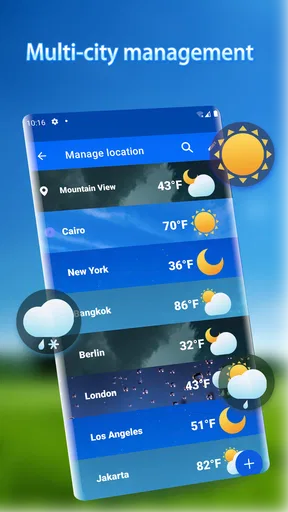
Absolutely, the app supports tracking weather for multiple locations. This feature is particularly useful for users who travel frequently or have family members in different areas. You can easily switch between locations to get the latest weather updates and alerts for each area.
Is Local Weather Alerts - Widget available for both Android and iOS devices?
Yes, the app is available for both Android and iOS platforms. It is designed to provide a consistent user experience across different operating systems, ensuring that all users can access its features and benefits regardless of their device. You can download it from the Google Play Store or the Apple App Store.
